

Snapcast is an open-source system that allows for synchronized audio playback on multiple devices at the same time. It works on a client-server principle: a central server sends the audio stream to clients, which play the audio without delays. This technology is suitable for both home and business environments, such as restaurants or hotels, as it ensures uniform sound quality and reliable operation.
Main features:
- Synchronized sound: Music plays simultaneously in all rooms.
- Wide compatibility: Works with various platforms (Linux, Windows, Android, etc.) and devices ( Raspberry Pi , smartphones).
- Open source: Allows you to customize the system to your needs.
How to install?
- Install Snapserver and configure audio sources.
- Install Snapclient on each device and connect to the server.
- Ensure a stable network to avoid interference.
Snapcast also integrates easily with smart home devices (such as Home Assistant ) and is compatible with high-quality audio equipment, making it a great solution for creating a multi-room audio system that can be controlled centrally.
Synchronous audio with Snapcast
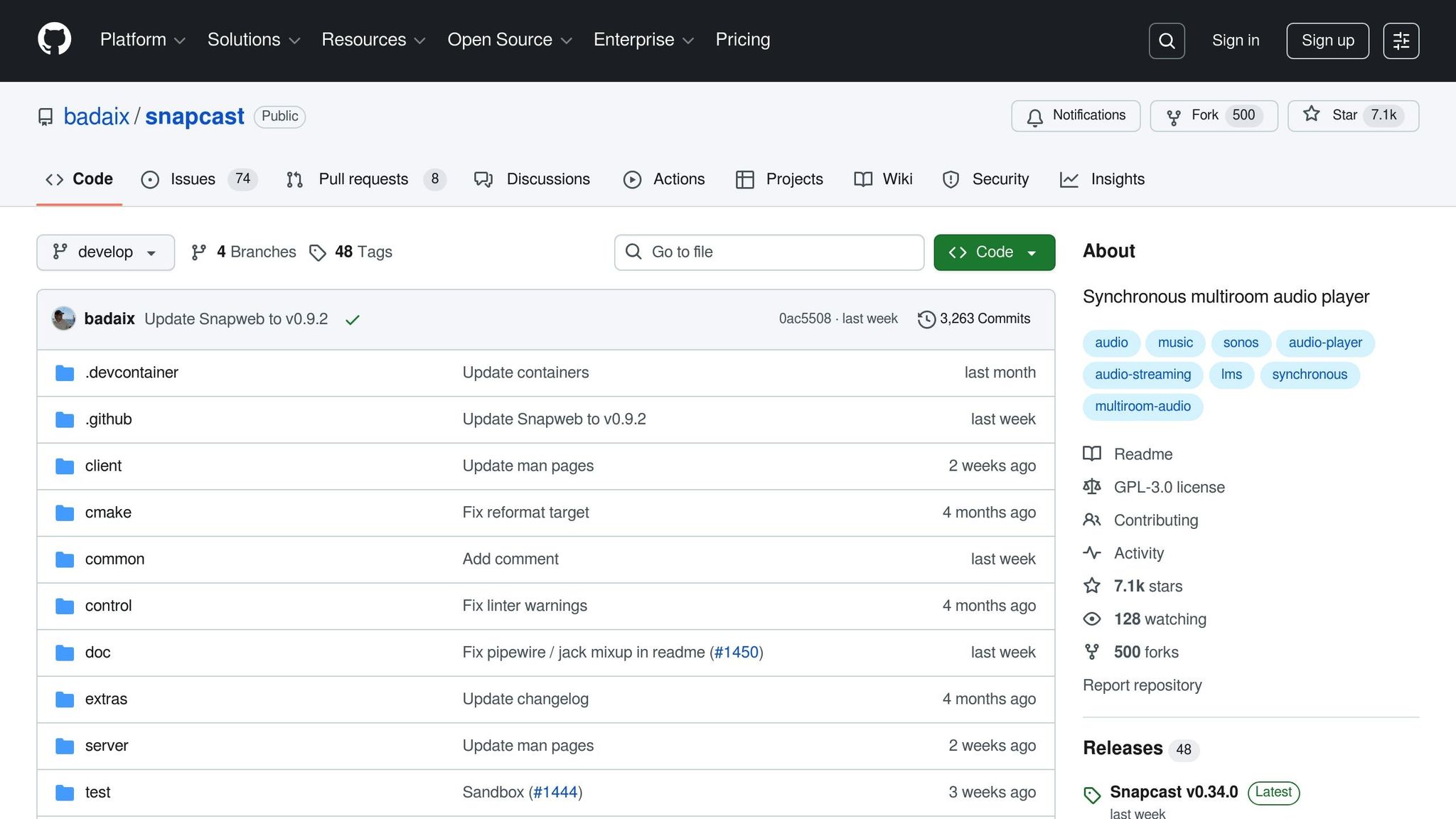
Snapcast main features
The capabilities offered by Snapcast allow for a seamless and synchronized audio experience, and these features can be later applied during system deployment and integration.
Synchronized multi-room playback
One of the most important features of Snapcast is precisely synchronized audio across all connected devices. The Snapserver processes the audio stream and transmits it to clients without noticeable delays, so music plays in all rooms at the same time [1] . This creates a consistent and seamless audio experience across all rooms.
Compatibility with various platforms
Snapcast supports a wide range of operating systems, including Linux, macOS, Windows, FreeBSD and Android. Using specialized audio APIs such as ALSA, PulseAudio, Core Audio or WASAPI, smooth playback is ensured across platforms. In addition, Snapcast works with both powerful hardware and less resource-intensive devices such as Raspberry Pi. Snapserver can also receive audio streams from various sources: named interfaces, ALSA devices, TCP streams or directly integrated players such as MPD or Mopidy .
Open source and flexibility
Since Snapcast is an open source solution, it can be customized to meet specific needs. Community contributions allow us to continuously improve functionality and maximize the capabilities of professional audio equipment. This adaptability is extremely important in the solutions offered by AUTOGARSAS.LT.
In the next part, we will discuss the Snapcast installation process, requirements, and steps to ensure smooth operation of the system.
How to install Snapcast
Installing Snapcast requires proper hardware and a stable network for a smooth multi-room audio system.
Installation requirements
Hardware requirements
The hardware required depends on the size of the system. Smaller systems will be fine with low-power devices, but larger systems will require more powerful processors and more memory to ensure stable Snapserver operation.
Network infrastructure
Synchronized audio playback requires a fast and stable network. The network must support efficient transmission of audio streams to multiple devices simultaneously.
Software requirements
Snapcast works best with Linux distributions such as Debian or Ubuntu. To achieve high sound quality, it is recommended to use external USB DACs or other ALSA-supported solutions. AUTOGARSAS.LT offers a variety of high-quality audio devices that are perfectly compatible with Snapcast systems.
Installation steps
Here are the basic steps for installing Snapcast:
- Update your system packages and install Snapserver using the package manager.
- Edit the configuration file (
/etc/snapserver.conf) to set the audio sources and network settings, then start Snapserver. - On each recovery device, install Snapclient and specify the Snapserver IP address.
Connecting audio sources
Additional configuration may be required to connect additional audio sources. For example, when using MPD or other applications, the audio needs to be routed to the Snapcast system.
Troubleshooting and optimization
If you experience synchronization issues due to network delays, increase the buffer size using the --latency parameter.
Audio quality can be adjusted by changing the codec settings. Uncompressed streams provide the best quality, but require more network resources. FLAC or Opus codecs allow you to balance quality and network bandwidth.
Use tools like htop and iftop to monitor system performance. Make sure your firewall settings allow Snapcast server connections. AUTOGARSAS.LT specialists recommend starting with a smaller number of devices and gradually expanding the system, monitoring performance and sound quality.
sbb-itb-02aace5
Using Snapcast with high-quality audio systems
Snapcast opens up a wide range of possibilities when integrated with high-end audio equipment and smart homes. This open source solution combines modern technologies with high-quality audio systems, giving users more control and synchronization options.
Let's take a look at how Snapcast can be applied in smart home control scenarios.
Home automation integration
Snapcast integrates seamlessly with popular home automation platforms such as Home Assistant and Domoticz , allowing you to create a variety of voice-controlled scenes:
- Home Assistant allows you to set, for example, that music starts playing in the kitchen at 7:00 AM and in the living room after 7:00 PM. Using Node-RED , you can create more complex scenarios where the sound system reacts to factors such as light levels or motion sensors.
- Domoticz offers simpler yet effective control. Using its LUA scripts, it is possible to automatically adjust the sound level based on the time of day or room occupancy.
In addition to smart home control, Snapcast also easily integrates with high-quality audio equipment offered by AUTOGARSAS.LT .
Compatibility with AUTOGARSAS.LT products
Snapcast works great with amplifiers and speakers offered by AUTOGARSAS.LT . For example:
- Cambridge Audio CXA81 amplifiers can be connected to Snapclient via analog or digital inputs, ensuring impeccable sound quality.
- KEF and Focal speakers make ideal use of Snapcast's syncing capabilities, especially when using uncompressed FLAC streams.
- Bluesound and WiiM network players can act as Snapcast clients, providing additional control capabilities through their manufacturers' apps.
- Yamaha and Denon AV receivers with network capabilities can be integrated as zone amplifiers. This allows you to create multi-room systems where each room has its own sound zone, but all zones can be synchronized.
Below are real-world examples of Snapcast usage.
Practical use cases
- Whole-house synchronized sound : One song can play in every room in perfect sync. Ideal for parties or celebrations.
- Multi-zone control : Each family member can listen to their own music in different rooms, and easily switch to shared mode when needed. This solution is especially useful in larger families or offices.
- Event sound systems : Snapcast ensures that sound from multiple speaker systems spread across a large area reaches listeners simultaneously, regardless of distance.
- Business Solutions : In stores, restaurants or hotels, Snapcast allows you to centrally control music, announcements or background sound, adapting to the needs of each zone.
- Studios and creative spaces : Music creators and sound engineers can use Snapcast to accurately compare sound in different workspaces.
Snapcast not only provides flexibility, but also helps create a seamless audio experience that can be applied to both home and business environments.
Conclusions
In summary, Snapcast stands out as an open source multi-room audio solution that allows synchronized audio playback in all rooms of a home or business simultaneously [1] .
This system is perfectly compatible with the products offered by AUTOGARSAS.LT. High-end brands such as Cambridge Audio , KEF , Focal , Yamaha and Denon can be integrated into a single system, ensuring impeccable sound quality. In addition, support for FLAC and PCM codecs allows you to fully exploit the potential of your audio equipment [3] .
The open-source nature of Snapcast allows for customization and extension of functionality, ensuring long-term usability. [1] [2] The system is versatile and can be used in both home and business environments. [2] [4]
AUTOGARSAS.LT specialists are ready to help you optimize your Snapcast system to perfectly match your existing audio equipment. Contact the experts to enjoy synchronized, high-quality sound tailored specifically to your needs.
FAQs
How does Snapcast sync audio across multiple devices without lag?
Snapcast uses a time-based synchronization mechanism to ensure that audio plays smoothly across multiple devices simultaneously. This is achieved by constantly aligning clocks and adjusting data streams between the server and the devices connected to it.
The server acts as a master controller, ensuring that all devices are playing the same audio in sync. Constant control of data streams helps to avoid delays, so the audio is delivered seamlessly and in perfect sync across all devices.
What are the requirements for installing the Snapcast system and what are the most common problems that may arise when using this system?
Snapcast installation requires proper network configuration, stable internet connection, and compatible devices. The system typically runs on Linux operating systems such as Debian or Raspbian . It is also important that the devices meet the technical and software requirements.
One of the most common problems is connection interruptions, audio delays or interruptions. Such situations are usually caused by incorrect network settings, incompatible software versions or using different types of devices. To avoid these problems, it is recommended to ensure network stability and always use the latest software versions.
How can Snapcast be used in smart homes and what benefits does it provide?
Snapcast is an open source solution that allows you to stream audio to multiple devices simultaneously, with zero latency. By integrating Snapcast into your smart home, you can create a seamless audio system that ensures that music or other sounds are heard evenly in all rooms.
Why choose Snapcast?
- Perfect synchronization: Music will sound the same throughout the house, without any time differences or interference.
- Freedom and customization: You can control different audio sources and adjust the volume or content to the needs of each room.
- Easy integration: Snapcast easily integrates with other smart home devices, giving you even more control and convenience.
AUTOGARSAS.LT offers professional consultations and individual solutions to help you adapt this system to your home or business space, achieving maximum sound quality and ease of use.


