

Voice commands make controlling soundbars quick and easy. Modern soundbars support voice assistants like Google Assistant , Amazon Alexa , and Apple Siri . This means you can adjust the volume, change music, or control other devices without physical contact.
Key things to know:
- How it works : Voice commands are transmitted over Wi-Fi, using the soundbar's microphones and artificial intelligence.
- What you need : Compatible soundbar, stable Wi-Fi connection, smartphone, and voice assistant device.
- The most popular voice assistants in Lithuania: Google Assistant (widely used, supports English and Russian), Amazon Alexa (English), Apple Siri (limited compatibility).
- Functions : Volume adjustment, music playback, switching audio sources, creating scenarios for smart homes.
Although Lithuanian is not yet supported, most users successfully use English commands. AUTOGARSAS.LT offers a wide range of compatible soundbars and professional setup assistance.
Preparing for voice command setup
Before you start setting up voice commands, make sure you have everything you need. Proper preparation will help avoid any problems and ensure a smooth process.
What you need before you start
For a successful setup, prepare the following: a compatible soundbar, a stable Wi-Fi connection, a smartphone, and a voice assistant device.
- Soundbar with voice control function : AUTOGARSAS.LT offers high-quality models that are perfect for using voice commands.
- Stable Wi-Fi connection : Make sure your internet speed is sufficient and the signal is strong in the areas where you will use voice commands.
- Smartphone with manufacturer's app : This app will help you set up and control the device.
- Voice assistant device : If your soundbar doesn't have built-in voice control, prepare a separate voice assistant device.
Some soundbars allow you to control volume, change sources, or play music using just your voice, so make sure the model you choose meets your needs.
Checking device compatibility
Once you have the right devices, the next step is to check their compatibility with voice assistants.
Before purchasing a soundbar, check whether it is compatible with your chosen voice assistant and whether it supports your language. This issue is relevant in Lithuania, as not all assistants support the Lithuanian language.
| Voice assistant | Lithuanian language support | Integration with soundbars | Popularity in Lithuania |
|---|---|---|---|
| Google Assistant | None (English, Russian) | Wide | High |
| Amazon Alexa | None (English) | Wide | Average |
| Apple Siri | None (English) | Limited | Low |
Although Lithuanian language support is limited, many users in Lithuania successfully use these assistants in English. Google Assistant is the most popular choice due to its wide compatibility and better Russian language support.
AUTOGARSAS.LT specialists can help you assess whether your existing devices will be compatible with your chosen soundbar. Our team has experience connecting various voice assistants to different models.
Connecting the soundbar to Wi-Fi
Once the devices are paired, proceed to setting up your Wi-Fi connection.
- Turn on your soundbar and download its manufacturer's app to your smartphone.
- Using the app, select a Wi-Fi network and enter the password.
- If necessary, connect the soundbar via HDMI or Bluetooth first, then complete the setup via Wi-Fi.
Make sure your Wi-Fi is running on either 2.4 GHz or 5 GHz, as recommended by the manufacturer. Most modern soundbars support both frequencies, but it's best to check beforehand.
When the soundbar is successfully connected, it will usually show a Wi-Fi indicator light or network status in the app. If you are having problems, check the password and signal strength in the area where the soundbar is located. If the problem persists, the app will provide troubleshooting steps or error messages.
How to set up voice commands step by step
Once your soundbar is connected to Wi-Fi, it's time to activate voice commands. This process is usually quick and only requires a few simple steps.
Enabling voice assistant features
First, enable voice recognition on your soundbar. Open the manufacturer's app on your phone and find the "Voice Assistant" section. Select the voice assistant you want and follow the instructions. Sign in to your assistant account and grant the necessary microphone and network permissions.
Most soundbars have a dedicated voice recognition button on the remote or automatically respond to keywords like “OK Google” or “Alexa.” When the feature is successfully activated, the soundbar will give you visual feedback—for example, with an LED light or an on-screen icon indicating that the system is ready to listen.
Connecting the soundbar to other devices
To get the most out of voice control, pair your soundbar with other devices in your home. Start with your smart TV—most modern models support HDMI ARC or eARC, allowing you to control both devices with your voice. In the app, look for the “Device Control” section, where you can add your TV, music streaming platforms, and other smart devices.
Some music apps, such as Spotify or Apple Music , require you to link an account for voice commands to work properly.
AUTOGARSAS.LT experts advise setting up the main devices, such as TVs and music sources, first. Only then add other smart home elements, such as lighting or climate control systems. If you experience problems after pairing, it is worth taking troubleshooting steps.
Troubleshooting common setup issues
Even if you do everything right, technical problems can occur. Most often, microphone recognition problems arise - if the soundbar does not respond to your voice, check the microphone sensitivity settings in the app. Watch the indicator colors: blue means optimal recognition, while red may indicate too much volume. Adjust your voice volume and try to speak clearly, standing 1-2 meters away.
If the problem persists, try the following:
- Restart the soundbar and the app.
- Check that all necessary microphone and network permissions are granted.
- Make sure the correct language is selected for voice recognition.
- Update the software.
Also check your Wi-Fi signal. If the connection is weak, you may want to consider using a Wi-Fi extender or moving your device closer to your router.
If the system responds to a simple command, such as "Volume up," setup is complete, and your soundbar is ready for effective voice control.
"You can call, write or come to the location. Our consultants will help you choose a solution that meets your needs, budget and expectations." - AUTOGARSAS.LT [1]
If the problems persist, the AUTOGARSAS.LT team offers professional assistance. Our specialists can help solve technical issues both remotely and by coming to your home.
Voice commands you can use with your soundbar
Now that you have voice control set up, it's time to try out different commands that can simplify your everyday life. Here are some examples of how you can use your soundbar even more efficiently.
Basic voice commands for everyday use
Start with simple commands that will make it easy to control the soundbar's functions. To adjust the volume , say "Volume up," "Volume down," or "Volume up to 50%. If you use Google Assistant or Alexa, you can set the volume percentage precisely.
To turn the soundbar on or off , say "Turn soundbar on" or "Turn soundbar off." Some models also work with "Unmute" or "Unmute." If you need to change the sound source , you can use phrases like "Change input to HDMI," "Change input to Bluetooth," or "Change input to optical."
To control music playback, say "Play," "Pause," "Next track," or "Previous track." To play a specific artist or song, use the commands "Play [artist name]" or "Play song [title]." Note that some features depend on the music platform you're using, such as Spotify or Apple Music, which require a linked account [2] .
Smarter teams and smart home management
Once you've mastered the basic commands, you can move on to more advanced features. For example, changing sound modes lets you tailor the sound to your activity. Say "Turn on movie mode" for watching movies, "Turn on music mode" for listening to songs, or "Turn on night mode" to reduce noise at night.
Even more advanced users can create automated scenarios . For example, the command "Turn on movie night scenario" can simultaneously turn on cinema mode, dim the lights, and lower the blinds. However, this requires a properly configured system.
To activate virtual surround sound , say "Turn on virtual surround sound." And to reduce the bass intensity, use the command "Turn off subwoofer." These features are especially useful in apartment buildings where noise is important.
Next, we will discuss how different voice assistants execute these commands.
Google Assistant , Alexa and Siri comparison
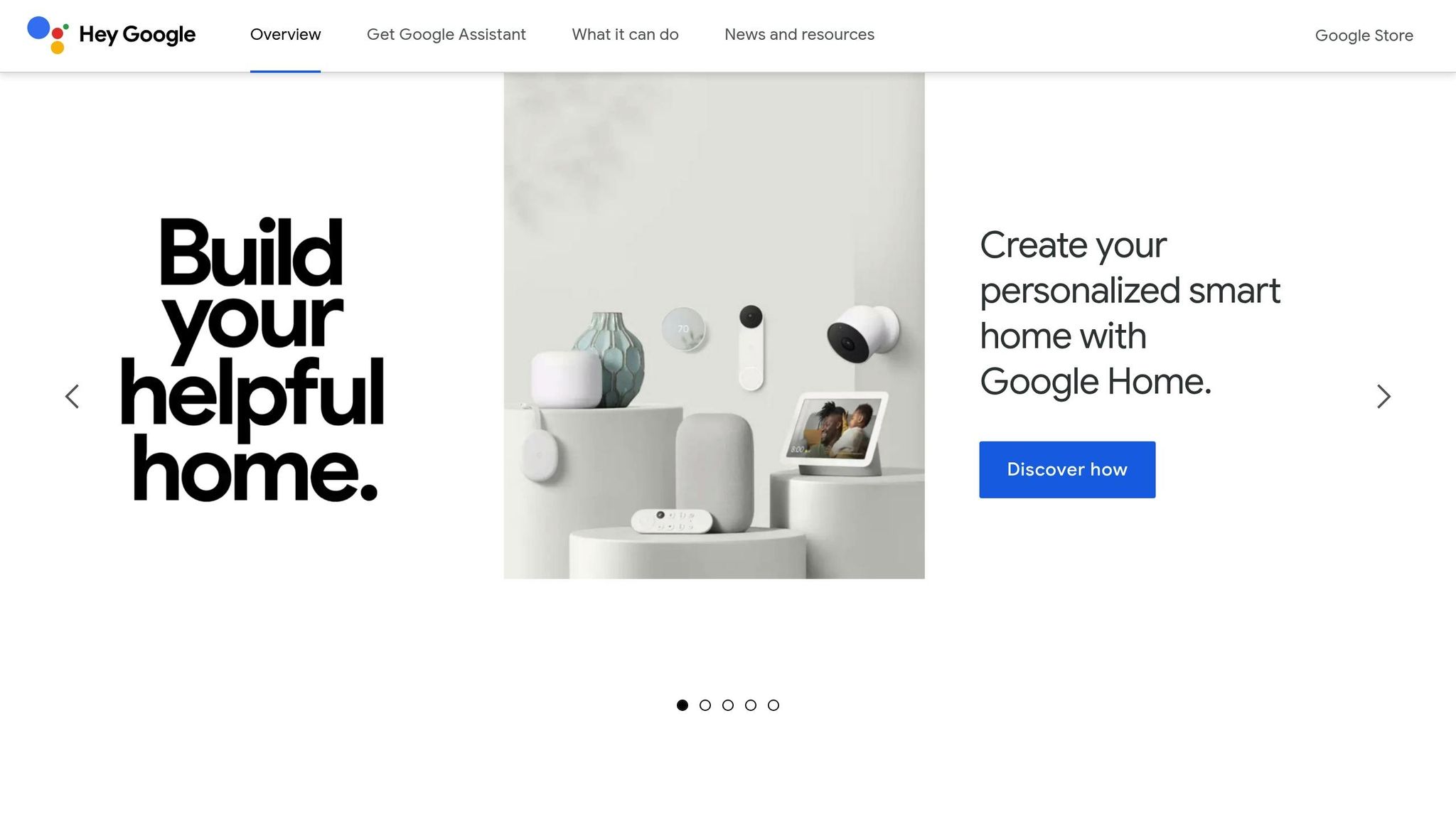
Each voice assistant has its own advantages when working with soundbars. Google Assistant works well with YouTube Music and Spotify. Commands usually start with "Hey Google," like "Hey Google, turn up the volume" or "Hey Google, play jazz."
Amazon Alexa offers the most extensive smart home control options. It works well with Amazon Music and Spotify. Commands start with "Alexa," like "Alexa, play Spotify on the soundbar" or "Alexa, turn on night mode."
Apple Siri works best with Apple Music and is compatible with Apple HomeKit devices. Commands start with "Hey Siri," such as "Hey Siri, play music on HomePod" or "Hey Siri, turn down the volume."
| Assistant | Lithuanian language support | Music platforms | Smart home integration |
|---|---|---|---|
| Google Assistant | Limited | YouTube Music, Spotify | Wide |
| Amazon Alexa | Limited | Amazon Music, Spotify | Very wide |
| Apple Siri | Limited | Apple Music | Limited (HomeKit) |
It's important to speak clearly and loudly enough for your voice assistant to recognize your commands properly. [3] If the soundbar isn't responding, try speaking more clearly or moving closer to the microphone.
For more information about voice assistant compatibility with specific soundbar models, visit AUTOGARSAS.LT . Expert advice will help you avoid incompatibility issues and choose the most suitable solution for your home.
sbb-itb-02aace5
Voice control for multi-function home theater systems
A home theater system is not just a soundbar, it also includes a TV, streaming devices , and smart devices. When you combine all of these components into one voice control system, a single command can create the perfect atmosphere for movies, TV shows, or music. In this section, we'll discuss how voice commands can control not only your soundbar, but also other home theater components.
Connecting multiple devices for voice control
For a home theater system to work smoothly, all devices must be connected to the same Wi-Fi network and use the same voice assistant. This applies to the soundbar, TV, Apple TV , Chromecast, or Fire TV.
Modern TVs often support HDMI-CEC, which allows you to control multiple devices with a single remote. For example, saying "Turn on the TV" can not only turn on the TV, but also automatically activate the soundbar.
To create an even stronger cinema atmosphere, you can integrate smart lighting, such as Philips Hue or LIFX . For example, the command "Turn on cinema mode" not only changes the sound settings, but also dims the lights to 15% brightness.
Streaming devices like Roku , Amazon Fire TV , or Google Chromecast allow you to control media content with voice commands. Saying "Play Netflix on TV" can instantly open the app and route the audio to your soundbar.
Voice script creation
Automated scenarios are sets of commands that control multiple devices simultaneously based on your needs. They are extremely useful for quickly creating the desired atmosphere. Here are some examples:
- Movie night scenario: Turn on movie mode, turn on the TV, dim the lights, and start Netflix all at once. Just say, "Turn on movie night."
- Music listening scenario: activates music mode, sets the volume to 60%, turns on colored lighting, and starts a Spotify playlist. The command "Alexa, start a music night" creates a cozy music listening environment.
- Night scenario: Reduces volume to 30%, activates night sound mode (which reduces bass frequencies) and switches to headphone output to avoid disturbing other family members.
| Scenario | Soundbar | Television | Lighting | Additional devices |
|---|---|---|---|---|
| Movie night | Cinema mode, 70% | On | 15% brightness | The blinds are down. |
| Music evening | Music mode, 60% | Off | Colored | Spotify launched |
| Night mode | Night mode, 30% | Off | 5% brightness | Activating the headphone output |
AUTOGARSAS.LT installation solutions
In order for the entire system to function smoothly, it is worth relying on the help of professionals. AUTOGARSAS.LT offers a full range of services - from consultations and design to final equipment calibration.
Professional installation ensures that all devices are optimally positioned, taking into account the room's acoustics, size, and furniture arrangement. For example, a soundbar can be installed so that voice commands are easily recognized from anywhere in the room.
When trying to connect devices from different manufacturers, compatibility issues often arise. AUTOGARSAS.LT specialists know which devices work best together. For example, they can recommend a Sonos Arc soundbar paired with Philips Hue lighting and a Samsung TV for seamless voice control.
They also provide aesthetic cable routing to keep all wires hidden and devices looking neat and modern. Specialists can also offer backup control solutions in case voice commands temporarily fail due to internet disruptions.
Finally, system calibration is a necessary step to ensure that all devices work flawlessly. AUTOGARSAS.LT experts not only determine the optimal sound parameters, but also test all voice scenarios. They also train users on how to use the system and offer ongoing support to ensure that your home theater system always works perfectly.
Professional help is especially important if you want to integrate high-end equipment. For example, connecting Bang & Olufsen soundbars to a smart home requires special knowledge that only certified professionals have.
Maximizing the potential of voice-controlled soundbars
To get the most out of voice commands, there are a few key things to keep in mind. First, clear speech and proper microphone sensitivity are essential for smooth voice recognition. Speak clearly and loudly enough for the system to accurately recognize your commands [3] .
Modern soundbars allow you to not only adjust the volume or switch inputs, but also activate special modes. For example, the SONOS Arc Ultra Theater has 14 high-quality speakers and supports Dolby Atmos 9.1.4 surround sound , and voice commands allow you to control not only the soundbar itself, but also other connected devices. Functions such as adjusting sound parameters or activating modes provide more convenience for everyday use [4] .
Interestingly, 68% of users most often use voice commands to play music or adjust the volume [3] . However, more experienced users go even further - they create individual sound profiles and activate them with their voice. For example, commands such as “Activate cinema mode” or “Switch to night sound settings” allow you to quickly adjust the settings to suit the situation.
To ensure the most accurate voice recognition, it is recommended to update the software regularly. It is also worth monitoring the indicator colors that indicate the system status. The implementation of Lithuanian language recognition is becoming more and more common, therefore it provides even more opportunities for Lithuanian users [3] [4] .
AUTOGARSAS.LT experts emphasize that proper device placement is very important for the quality of voice recognition. Professional installation ensures that the microphones are optimally positioned and all voice scenarios work without interference. In addition, the AUTOGARSAS.LT team not only helps you choose the right model, but also ensures that the system works smoothly in your home.
When choosing high-end equipment, such as Bang & Olufsen or Bowers & Wilkins soundbars, expert advice becomes extremely important. These soundbars require specific knowledge to ensure that voice control works flawlessly. AUTOGARSAS.LT specialists not only help you choose the best equipment, but also adjust all settings to ensure that voice recognition is as accurate as possible.
FAQs
How do I choose a soundbar that is compatible with my voice assistant?
To choose the right soundbar, it's important to check whether it supports the voice assistant you use, such as Google Assistant , Alexa , or Siri . You'll usually find this information in the manufacturer's specifications or compatibility certificates, which clearly state whether the device can work with your chosen voice assistant technology.
For example, AUTOGARSAS.LT offers a variety of soundbars compatible with the most popular voice assistants. This allows for easy control of the device and ensures seamless integration into your audio system.
How to fix common voice command setup issues?
Voice commands don't always work as expected. The most common problems are: microphone interference , unstable internet connection , or incorrectly set voice commands .
How to fix them? First, check if the microphone is working properly. Make sure it is connected and the settings meet the requirements. It is also very important to have a stable and fast enough Internet connection - this is necessary for the smooth operation of the voice assistant. If there are any suspicions about the software, update the voice assistant application - this can help eliminate errors and improve functionality.
If these steps don't help, it's worth checking the soundbar's instructions. If that doesn't solve the problem, contact a professional who can provide professional assistance.
Is it possible to use voice commands in Lithuanian with audiobooks? If not, what are the alternatives?
Currently, many soundbars do not support voice commands in Lithuanian, as major voice assistant platforms, such as Google Assistant or Amazon Alexa , are not yet fully adapted to this language.
However, there are some solutions that can help:
- Voice commands in English – Most soundbars support English and other popular languages, so you can use this feature if you speak English.
- App control – many soundbar manufacturers offer mobile apps that allow you to easily control the device without voice commands.
If you are looking for the right soundbar, AUTOGARSAS.LT offers a wide range of modern models, so you will definitely find something that will meet your needs.


